
AutoCAD Certified Professional: Exam, Cost and Prep Guide


The Autodesk Certified Professional (ACP) in AutoCAD for Design and Drafting is Autodesk’s advanced credential for AutoCAD users. You sit one 120-minute online exam, pass it, and receive a digital badge and a downloadable certificate. From Ireland you can take it from home through Pearson OnVUE, in English. The exam is aimed at people with roughly two years of regular AutoCAD use, so the real work is the practice you put in beforehand. This guide covers what the exam tests, what it costs, how long it stays valid, and how to prepare.
TL;DR
The ACP in AutoCAD is for advanced users: Autodesk points to about two years of regular use, or 400 hours minimum to 1,200 hours recommended.
The exam is 120 minutes, selected-response, with 45 to 60 questions, taken without access to the software and in English only.
The standard exam price is US$200, and the certification is valid for three years.
If you are earlier in your AutoCAD journey, build drawing skills first, or start with the Autodesk Certified User exam, then move up.
Table of Contents
What the Autodesk Certified Professional in AutoCAD actually is
Autodesk runs three levels of certification. Certified User is the entry level, Certified Professional is the advanced one for AutoCAD, and Certified Expert sits above it for some products. The ACP is built for candidates who can solve complex challenges in production workflows and designs, not only draw a neat floor plan.
Once you pass, Autodesk gives you a digital badge and a personalized certificate you can download. The page also says the credential tells employers you are proficient in AutoCAD design and drafting skills. The digital badge is issued through Credly, and its listed skills include 2D design, advanced editing functions, advanced layout printing and alternative outputs, annotation techniques, drawing with accuracy, and reusable content and drawing management.
That skills list tells you what the exam is: a test of how efficiently and correctly you work, not of how many obscure commands you can name.
Exam format: what to expect on the day
The facts that matter, all from Autodesk’s certification page:
Detail | ACP AutoCAD |
Length | 120 minutes |
Questions | 45 to 60 |
Question style | Selected response |
Software during the exam | Not available |
Language | English only (exam and proctor) |
Result | Pass or fail |
Two points surprise people. First, you do not operate AutoCAD in the exam. You read a scenario or a drawing description and pick the right answer, so you need to know the commands and settings well enough to recall them without clicking around. Second, Autodesk does not publish the passing score, because it varies by exam. You cannot aim for a magic percentage. You aim for solid coverage of every domain.
The live exam is delivered through Pearson, and Autodesk’s sample questions show a mix of formats, including multiple choice, drag-and-drop, hot area and graphic interpretation. Practice with all of them before the day.
What the exam covers, domain by domain
The December 2025 exam objectives give the weightings:
Domain | Weight |
Author and edit drawing content | 29% |
Application and drawing management | 22% |
Design annotation and detailing | 20% |
Configure and manage design output | 16% |
Collaboration | 13% |
Here is how to read that table.
Author and edit drawing content (29%)
This is the biggest slice, so it deserves the biggest share of your study time. Expect questions on creating and modifying objects with precision, using object snaps and coordinate input, working with polylines, hatches, blocks and dynamic blocks, and choosing the fastest edit command for a given task. Speed in the exam comes from knowing why you would trim, extend, offset or fillet rather than redraw.

Application and drawing management (22%)
Think layers, properties, templates, workspace settings, units, external references and file handling. This domain rewards people who work to a standard. If your office drawings follow a consistent layer and naming system, this is easy. If every project is improvised, it is where marks leak. Our guide to AutoCAD drawing standards walks through the habits behind it.
Design annotation and detailing (20%)
Text styles, dimension styles, leaders, multileaders, tables, annotative scaling and hatching for details. The questions tend to test whether you know which setting controls an outcome, for example why a dimension looks wrong at a different scale.
Configure and manage design output (16%)
Layouts, viewports, plot styles, page setups, publishing to PDF and sheet sets. Anyone who has ever fought a viewport scale at 5 p.m. before a deadline will recognize this domain.
Collaboration (13%)
Sharing and reviewing drawings, referencing other files, and keeping teams working from the same information. It is the smallest domain but easy to pick up if you have worked on a shared project.
Are you ready? Experience versus exam
Autodesk describes ACP candidates as people with at least two years of regular AutoCAD use. That is a guide, not a gate: nobody checks your hours. But it is honest advice. If you have been drawing for a few weeks, the exam will feel like a vocabulary test in a language you do not yet speak.
A simple way to place yourself:
Under 100 hours of use: You are a beginner. Learn the interface, drawing and editing tools, layers and printing. A beginner-friendly starting point is our getting started with AutoCAD guide.
100 to 400 hours: You are building fluency. Work through full drawings and projects, not isolated commands.
400 hours or more, with real projects behind you: You are in the range Autodesk describes as the minimum. Start exam-focused preparation.
Around 1,200 hours: The recommended level. You will find most of the exam objectives familiar.
If you are not there yet, the Autodesk Certified User (ACU) exam is the sensible first step. It is shorter, at 30 to 35 questions in 50 minutes, and it validates the fundamentals. Many learners take it first, then build toward the professional level with project experience.
Cost, validity and renewal
Autodesk lists the standard retail price of the ACP exam at US$200. It adds that exams are priced according to currency values in specific countries and regions, and that taxes may apply in some countries. So check the amount shown at checkout when you book from Ireland, because the final figure can differ from the headline price. For comparison, the same page lists Certified Associate exams at US$150 and Certified Expert exams at US$250.

We break the full budget down, including prep materials and retakes, in our guide to Autodesk certification cost.
On validity, the certification lasts three years. To recertify you must:
Submit a new certification application in the six months before expiry.
Schedule, purchase and take the exam before the credential expires.
Achieve a passing score.
There is no grace period, so put the six-month window in your calendar the day you pass.
How to take the exam from Ireland
You do not need a test centre in Dublin, Cork or Galway. Autodesk confirms that candidates in non-English-speaking countries can schedule a Pearson OnVUE online exam, with the proctor communicating in English. In English-speaking Ireland, that means the process is straightforward:
Create or sign in to your Autodesk certification account and choose the ACP AutoCAD exam.
Pay the exam fee at checkout.
Schedule a slot through Pearson OnVUE and run the system check on the computer you will use.
Prepare a quiet, clear room, since a remote proctor monitors the session.
Sit the 120-minute exam, then receive your result and, if you pass, your badge and certificate.
Run the system test a few days ahead, not an hour before. Most failed exam-day starts are technical, not academic.
A realistic study plan
How long does it take? There is no single answer, because it depends on your starting point. Autodesk’s own certification prep course is self-paced and takes about 10 hours, including a pre-test, learning modules and a practice test. That is a tune-up for someone already fluent, not a replacement for experience. A typical plan for a working user looks like this.
Weeks 1 to 2: audit your gaps
Take a practice test cold and mark every miss against the five domains. Do not study what you already know. Be honest about the weak spots: most people are strong in drawing and weak in output or management.
Weeks 3 to 5: fix the weighted domains
Spend the most time on authoring and editing (29%), then drawing management (22%) and annotation (20%). Build a drawing from scratch using a clean template, your own layers, annotative text and dimension styles. Then edit it quickly with the shortest command sequence you can.
Week 6: output, collaboration and timing
Set up layouts with multiple viewports at different scales, publish to PDF, and practice working with external references. Then do a full practice test against a 120-minute clock. With 45 to 60 questions, you have around two to two and a half minutes per question, so pacing is rarely the problem. Careless reading is.
Free resources worth using
Autodesk’s Learning Pathways hub offers free skill-builder courses on technical drawing, drawing management, annotating and dimensioning, creating and modifying objects with accuracy, and layout and output, each taking two to four hours. The hands-on exercises in Autodesk’s help documentation, such as the House Deck architectural exercise, cover layers, hatches, annotations, blocks and plotting to PDF. It requires AutoCAD 2024 or later.
For project practice, our list of 20 AutoCAD practice projects gives you drawings to build at beginner and intermediate level.
Is it worth it?
For most working drafters and architectural technicians, yes, as proof of skill that a CV alone cannot give. Autodesk’s own blog cites Burning Glass data suggesting certified professionals can see salary premiums of 18% on average. Treat that as a general indicator, not a promise for your situation.
The practical value is simpler. A certificate helps a hiring manager skim a stack of applications and see that you passed an independent, vendor-run exam. It helps graduates with thin work histories most. If you already have a strong portfolio, it supports your claims rather than replacing them.
If you are still weighing 2D against 3D skills for your own career, our 2D versus 3D drafting decision guide will help you decide where to put your hours. Architecture students can also read what students must know about AutoCAD for architecture.
Our perspective
We see the same pattern with learners preparing for Autodesk exams. People who treat certification as a memory exercise struggle, and people who build real drawings first pass with far less stress. That is why we teach through projects. When you have set up a template, drawn a full set, annotated it, laid it out and printed it, the exam questions stop being abstract. You recognize the situation and you know the answer because you have lived it. Our training is designed around real-world workflows, with direct trainer support, lifetime access to materials and a completion certificate. My own background as an Autodesk Certified Trainer shaped that: I want you to be able to do the work, and the credential follows. My advice is to start with fundamentals, put in the project hours, and book the exam when practice tests stop surprising you. Steve
Build the skills behind the badge
If you are working toward certification, our AutoCAD Training course takes you from beginner to expert through project-based lessons, for a one-off price of 79 EUR. It comes with lifetime access to the materials, trainer support and a completion certificate, so you can build the drawing fluency that the exam objectives describe.
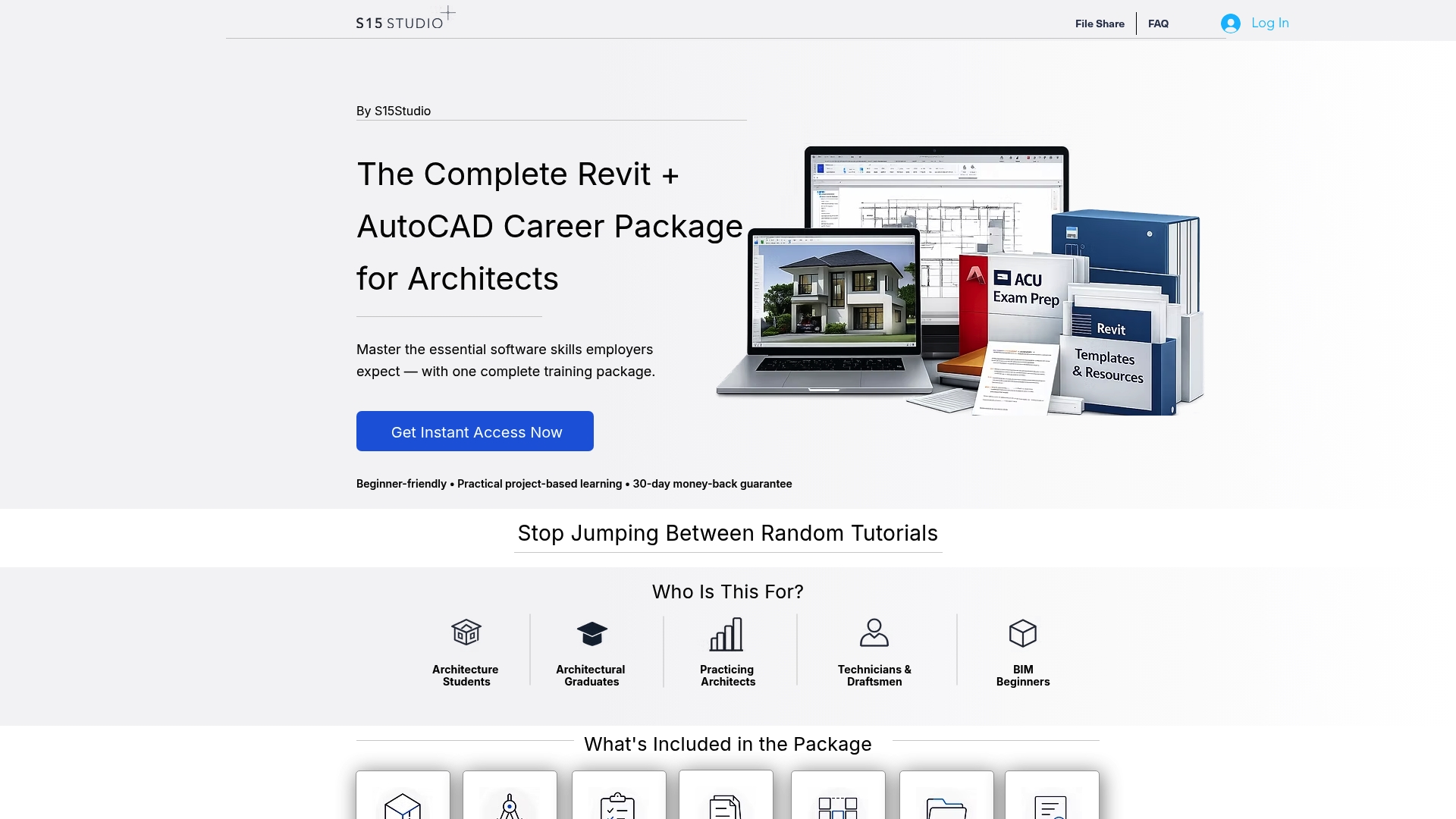
If you want exam practice alongside the software skills, the Complete Revit and AutoCAD Training includes practice for the Autodesk Certified User exams, a good first credential on the way to the professional level. Anyone aiming at junior roles can also see our guide to computer aided design training for entry-level CAD roles. If you are unsure what AutoCAD is used for in practice, this overview of AutoCAD and its benefits is a good place to begin.
FAQ
How long does it take to get AutoCAD certified?
The exam itself takes 120 minutes. Preparation depends on your experience: Autodesk’s own prep course takes about 10 hours, but it assumes you already work in AutoCAD regularly. If you are building skills from scratch, plan for months of practice, not days.
Is there a way to get an AutoCAD certificate online?
Yes. You take the Autodesk exam online through Pearson OnVUE with a remote proctor, from home in Ireland, and the exam is in English. Passing earns a digital badge and a downloadable certificate. A training course’s completion certificate is separate and shows you finished that course.
What is the best AutoCAD certification?
Autodesk’s own credentials are the ones employers recognize for AutoCAD. The Certified User suits beginners and students, and the Certified Professional suits advanced users with around two years of regular use. The best one is the level that matches your current experience.
What are the best AutoCAD beginner tutorials for certification?
Start with Autodesk’s free Learning Pathways courses and the hands-on exercises in its help documentation. Then move to project-based practice, where you build full drawings from start to finish. Our beginner practice projects are designed for that step.
Sources
Autodesk Certified Professional in AutoCAD exam objectives, December 2025
Autodesk Certified Professional: AutoCAD for Design and Drafting
Credly badge: Autodesk Certified Professional in AutoCAD for Design and Drafting
4 Things You Need to Know About AutoCAD Certification (Autodesk blog)
4 Things You Need to Know About AutoCAD Certification, Learning Pathways
Recommended
Comments